In recent years, techniques for doing CG on the web with JavaScript have advanced greatly.
It has become possible to develop web apps that use AR, VR, and more in the browser.
The problem, however, is the file size of 3D models.
3D models such as glTF are very large to handle on the web, and they take a long time to download.
So we’ll reduce the file size by compressing them with Draco, an open-source 3D data compression method developed by Google and adopted by glTF as an extension.
Actually, I tried to compress glTF files yesterday, but because of a misunderstanding, it took me about two hours of work to realize that the method in the article I wrote yesterday (building Draco and using its draco_encoder) can’t Draco-compress glTF files.
Wasting late Sunday night like that feels, mentally, like wasting about four hours of a weekday.
With the method in the article I wrote yesterday, you can Draco-compress .obj and .ply files, but not .gltf or .glb files.
Building Draco and Compressing 3D Files
So this time, I’ll use a different tool, gltf-pipeline, which runs on Node.js.
Installing Node.js
gltf-pipeline is installed with Node.js (npm), so first install Node.js. If you already have it, skip to the next section.
Go to the Node.js website and download the installer.
Unless you have a particular need, download the recommended version labeled LTS (v12.18.3 at the time of writing).
Just keep clicking Next, and the installation is done.
Open Command Prompt and enter
node -vIf you see something like
v12.18.3the installation succeeded.
Compressing glTF files
The tool we’ll use is gltf-pipeline.
Its official GitHub page explains how to use it.
https://github.com/CesiumGS/gltf-pipeline
Install it with Node.js.
npm install -g gltf-pipelineYou use it like this:
gltf-pipeline -i model.gltf -o modelDraco.gltf -dor
gltf-pipeline -i model.glb -o modelDraco.glb -dmodel.glb (.gltf) is the input file before compression, and modelDraco.glb (.gltf) is the compressed output file. The -d option is what turns on Draco compression.
How much can it compress?
Trying a regular file exported from VRoid
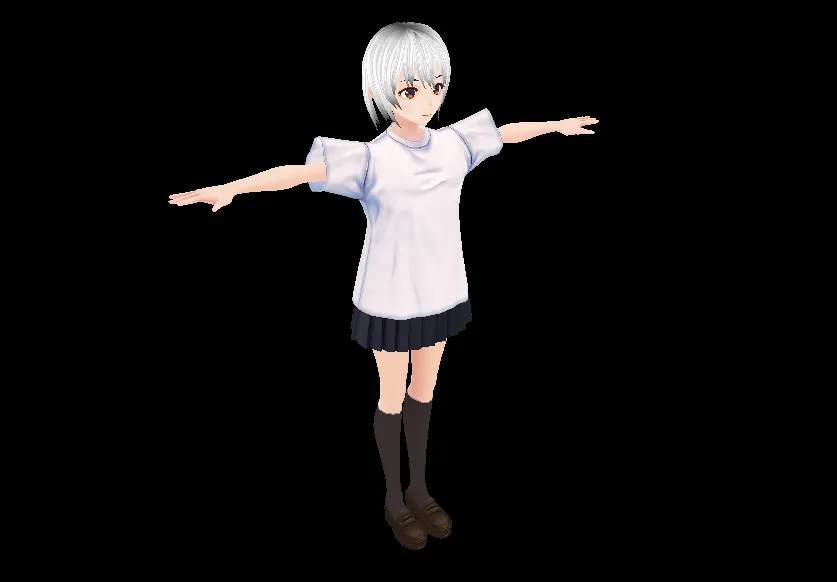
As an example, I compressed the following .glb file.
https://github.com/yosipy/GLTF-File-Size-Test/blob/master/export_p16848_m02_b103/glb/no0.glb
It has 16,848 vertices and supports skinning (it has bones), so it’s fairly large.
Here’s the compressed file.
https://github.com/yosipy/GLTF-File-Size-Test/blob/master/export_p16848_m02_b103/draco/no0.glb
The compression command:
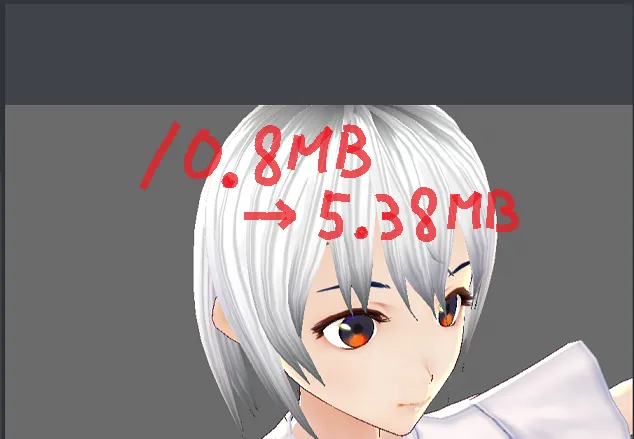
gltf-pipeline -i glb/no0.glb -o draco/no0.glb -dIt went from 10.8 MB down to 5.38 MB!
I also converted the uncompressed .glb to .gltf, which stores the array data such as vertices in a separate file, no0_data.bin. The total is the same 10.8 MB, but no0_data.bin is only 2.91 MB. Since the file shrank by more than that, it seems that not only arrays such as vertices but also the textures are compressed quite a bit.
The uncompressed .glb converted to .gltf:
https://github.com/yosipy/GLTF-File-Size-Test/tree/master/export_p16848_m02_b103/gltf
Making all the images 1 px × 1 px to see how much the vertices are compressed
https://github.com/yosipy/GLTF-File-Size-Test/tree/master/texture_1px_(export_p16848_m02_b103)
All the images in this gltf folder are 1x1 px.
They’re 120 KB each, so I’ll ignore their size.
I Draco-compress the model with the following command while converting it from .gltf to .glb.
gltf-pipeline -i gltf/no0.gltf -o draco/no0.glb -dAs a result, it went from 3.00 MB to 2.3 MB.
In the official example using an .obj file, bunny_norm.obj went from 4.7 MB before compression to about 64 KB after, which was an impressive result, so admittedly this was larger than I expected.
Building Draco and Compressing 3D Files
Unlike the OBJ format, glTF is a specification that can represent a lot more, so maybe this is about the limit. (But I can’t help feeling it could get a little smaller…)
Even setting the Draco compression level to the maximum of 10 made almost no difference.
Even so, it’s impressive that this much data gets down to just over 2 MB. If you can get it down to around 3–4 MB including textures, I think it’s practical to use on the web.
Summary
This time, I Draco-compressed glTF files.
The compression ratio seems lower than with OBJ, so for models without skinning (without bones), it might be better to use OBJ or PLY files. (Though it may just be that my settings weren’t good enough.)
I’d like to play with the parameters a bit more and look into ways to make the files smaller.